Understand your analytics
Read traffic reports, compare periods, and understand what Talvess can attribute to a source.
Choose your view
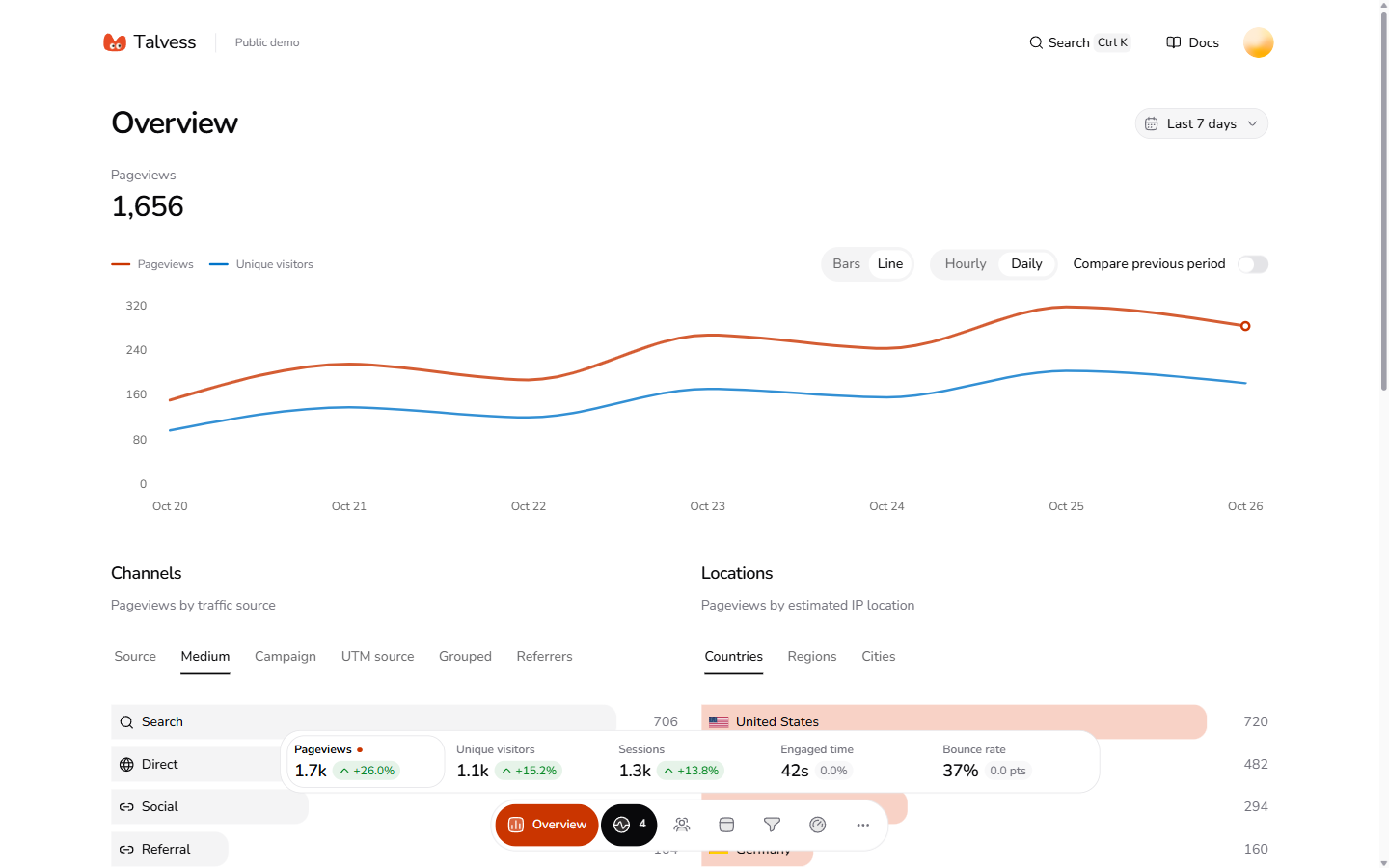
Select a website in the sidebar, then choose your date range. Analytics supports the last 24 hours, 7, 30, or 90 days, and a custom range. Hourly or daily chart buckets use UTC. Turn on Compare previous period to compare the preceding period of the same length.
Traffic metrics
- Pageviews: tracked page loads and pathname changes.
- Unique visitors: distinct persistent browser IDs. Different browsers or devices count separately; clearing storage creates a new identity.
- Sessions: tab-scoped visits. Separate tabs can count as separate sessions.
- Engaged time: estimated visible, active time. It is not the elapsed time between two pageviews.
- Bounce rate: the percentage of tracked sessions with exactly one pageview, regardless of engagement time.
Older pageviews or blocked browser storage can leave some metrics unavailable. Missing location or user-agent details appear as Unknown.
Sources and AI
A declared UTM source takes priority over an external referrer hostname in traffic source reporting. Direct / unknown means neither was identifiable. Campaign tags can describe a campaign, but they do not prove an AI referral.
AI referrals require recognized AI referrer hostnames. Talvess cannot measure every interaction someone has with an AI assistant. Crawler requests are a separate measurement and do not establish a referral, citation, signup, or payment.
For signups, source credit uses the latest eligible visit within 30 days before signup. A later direct visit can receive credit. Unlinked means no eligible tracked visit could be connected.
Funnels and performance
Funnels count distinct browser visitors through 2-5 ordered steps within seven days of entry. Use the built-in Visits to signup preset or create a funnel from visits, exact page paths, and server event names. Visitors without a persistent ID cannot enter a visitor funnel.
The 7-day signup rate is a visit cohort conversion rate, rather than current-period signups divided by current-period visits. Recent visitors may still convert after the selected dates.
Use Realtime for current visitors, Web Vitals for performance reports, and detailed traffic pages for pages, referrers, campaigns, devices, and countries.
Visitors shows the latest 100 anonymous browser visitors in the selected dates. Filter by source, returning visits, or confirmed signups, then select a visitor to open their journey. Consecutive pages in the same route section are grouped together; expand a section to see the recorded paths and times. Linked payments and refunds appear as confirmed events. This is not a session recording, and imported aggregate reports do not create visitor journeys.