Track signups
Connect confirmed account creation to the visits that brought your customers.
Open signup setup
In Profile, select your website and open Set up beside Signup tracking under Integrations. Funnels also opens the same setup sheet.
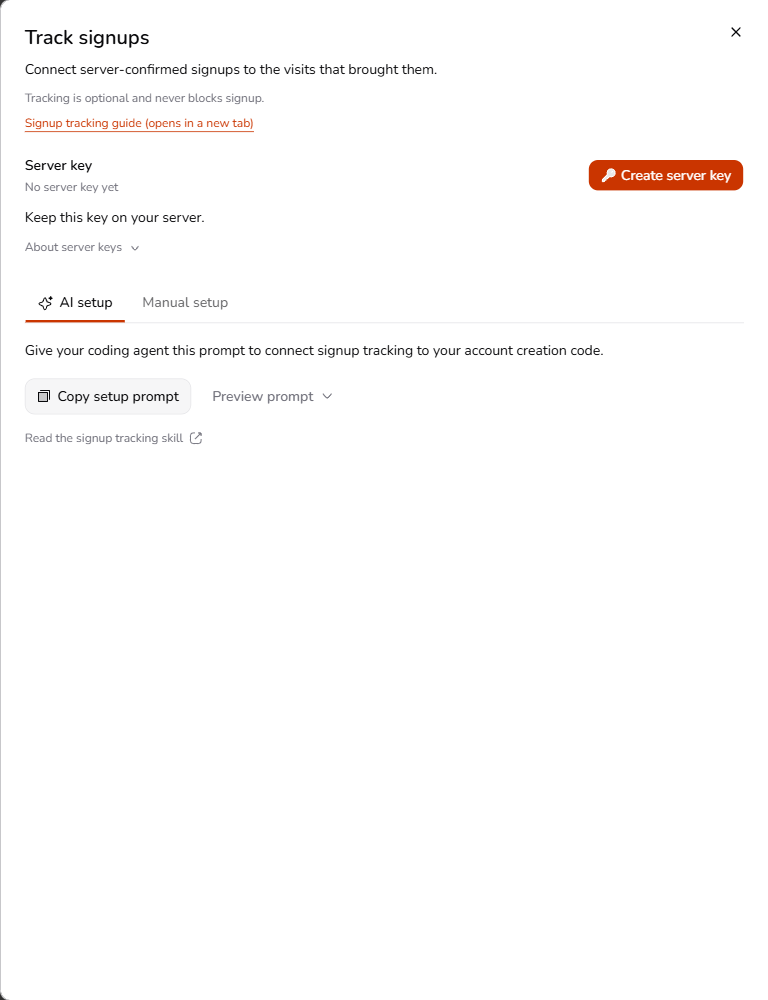
Create a website-scoped server key. The secret appears once; save it in your application's server environment. Keep it out of browser code, public environment variables, URLs, and AI chats.
Send confirmed signups
Use the setup sheet's AI-agent prompt, or choose Manual setup for browser context and server examples. The public signup integration skill contains the request contract and delivery instructions.
Send a signup event to POST /api/events only after your backend successfully creates a new account. A login, button click, form submission, or success-page visit is not a confirmed signup.
Authenticate with the server key in an Authorization: Bearer header. Derive a stable event ID from an opaque account identifier. Reuse the original payload and event ID for retries so the account is counted once. Tracking failure must not undo account creation.
Link the visit
Pass optional tracker context from the browser to your account-creation backend. If your signup app has a different origin from your marketing site, follow the explicit handoff instructions in the signup skill.
Keep your existing OAuth state, nonce, and CSRF checks. Tracker context never replaces authentication protections. Missing browser context should not block signup; the event can still count without linked attribution.
Confirm delivery
After creating a test account in your own application, check that the event endpoint returns 201 for a new event or 200 for an identical retry. In Profile, the Signup tracking connection indicator reflects whether a signup has been received. Copying an example does not establish a receipt.
Analytics exposes signup reporting after an active key and at least one confirmed receipt. Total signups include unlinked events; source attribution uses the latest eligible visit within 30 days. See source attribution for interpretation.