Basic installation
Add the Talvess tracking script to any website with access to its HTML.
Register your website
Sign in with Google or GitHub, then add a website. Register the exact origin, including the protocol, hostname, and any port. https://example.com and https://www.example.com are different origins.
For local development, register your application's local origin, including its port. Select the right website before copying its snippet.
Add the script
Copy the generated snippet from setup. The HTML tab gives you a script for the shared <head> of every page. The Next.js tab gives you a next/script example for your root layout, inside <body>.
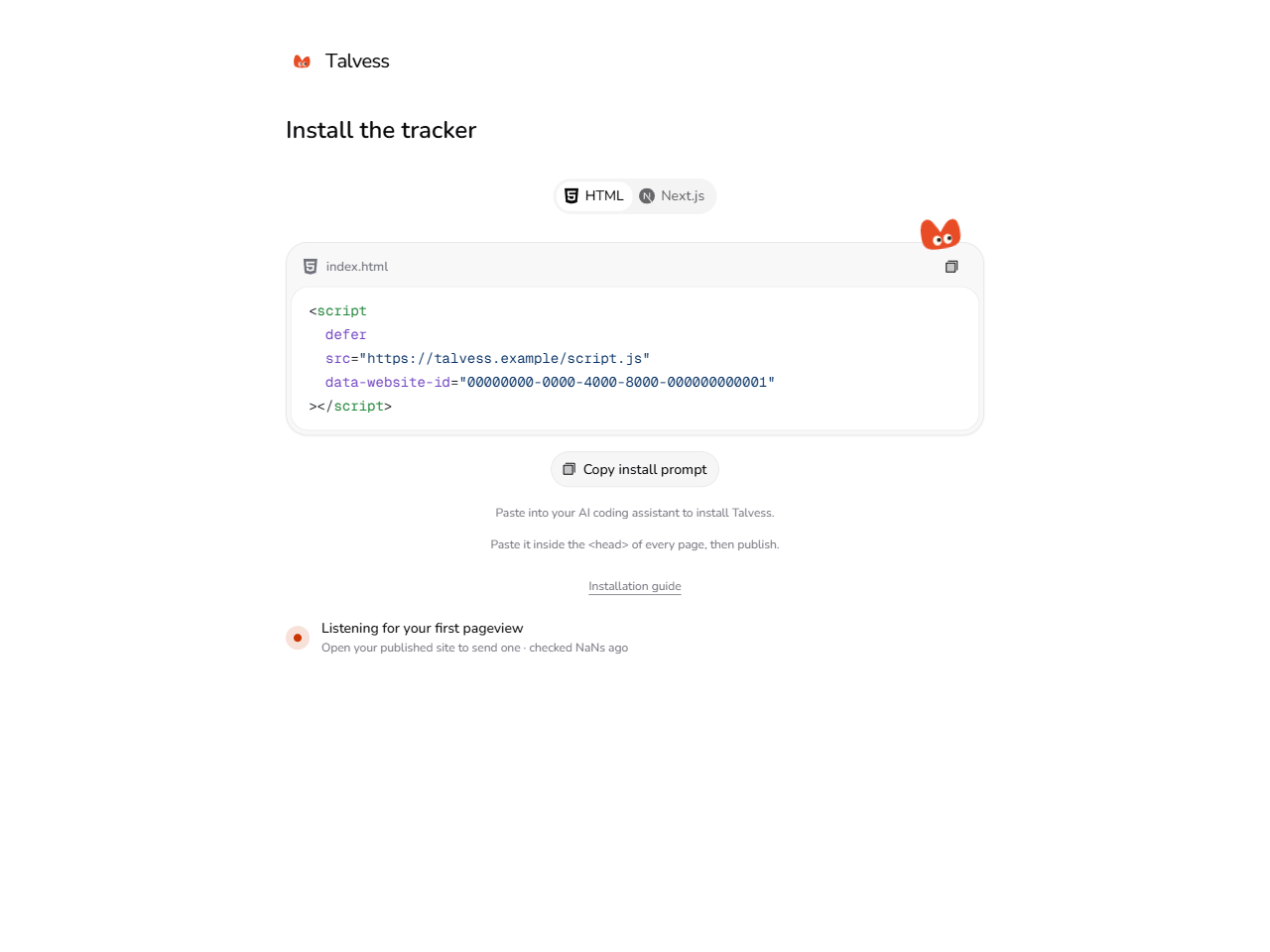
The HTML example has this shape. Replace both placeholders with the values from your generated snippet:
Publish the change. The tracker sends an initial pageview and follows pathname changes in single-page applications. Query-string and hash-only changes do not count as new pageviews.
Verify installation
- Open your published website in a browser.
- In Talvess, open your website menu and choose Check installation.
- Choose Run checks to inspect the published snippet, the website ID, and Content Security Policy restrictions.
- Open Analytics and select a date range containing your visit.
If your site uses Content Security Policy, allow the Talvess origin in script-src and connect-src. The script and collector must be reachable without a deployment login. See troubleshooting if visits do not arrive.
What is collected
The tracker uses no cookies. It uses first-party local storage for a random browser visitor ID and session storage for a tab session that expires after 30 minutes of inactivity. Storage restrictions can limit visitor and session metrics while pageviews still work.
Reports use the page pathname, external referrer hostname, and supported UTM source, medium, and campaign fields. Full referrer URLs, URL fragments, and full query strings are not sent. On supported hosting, location reports use approximate IP-derived geography; Talvess does not store the visitor's IP address.
Describe the analytics storage and collected fields in your website's privacy notice.