Track revenue
Connect Polar or send confirmed payments and refunds from your backend.
Choose a connection
Open Revenue, then Track revenue, or open revenue setup from Profile. Choose a Polar connection or the manual backend integration.
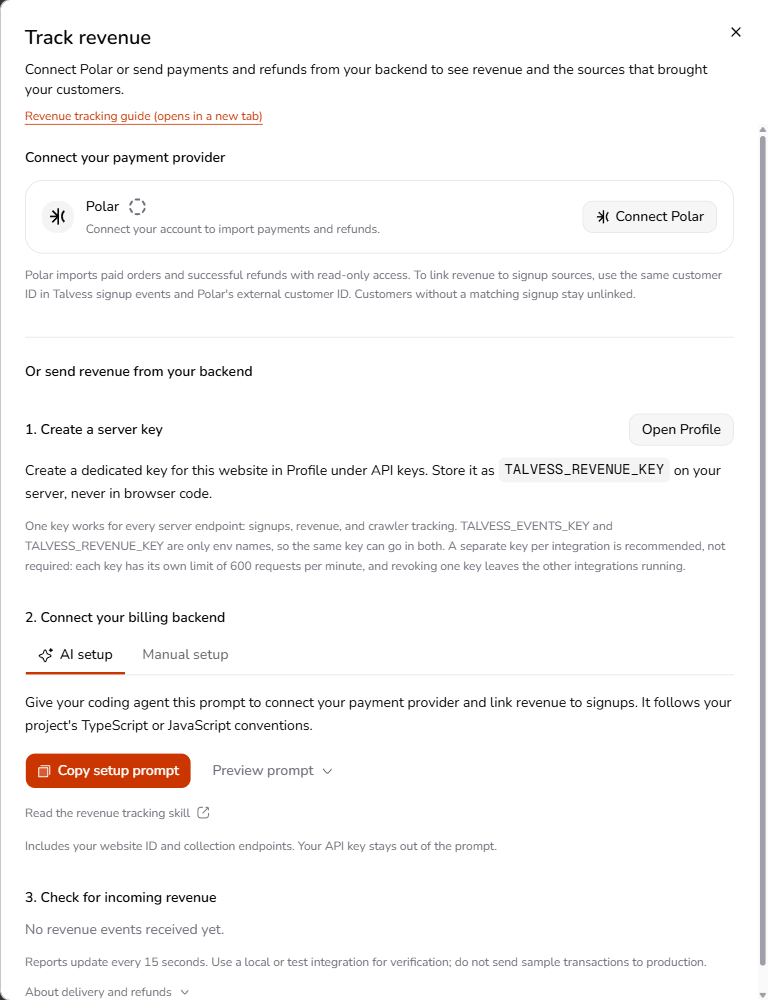
Connect Polar
- Choose the Polar connection and approve read access.
- Select the organization whose revenue belongs to this website.
- Choose Import revenue. Return to Revenue to inspect the imported orders and refunds.
A Polar organization can connect to one website. The connection imports the whole organization, so use a dedicated organization when a website represents only some of your products.
Revenue sync resumes while the Revenue page or connection surfaces are visible. Sync revenue requests a refresh while honoring provider backoff and the interval between completed scans. Disconnecting stops sync and keeps already imported records.
Send from your backend
Create a server key in setup and use the agent prompt or manual examples to send confirmed payments and refunds to POST /api/revenue. The revenue integration skill describes supported payloads, money units, identifiers, and retry behavior.
Verify your payment provider's webhook signatures and transaction status first. Keep delivery durable, preserve original event IDs and occurrence times on retries, and use the same opaque customer ID across signups and payments when linking them.
Read revenue
Currency balances stay separate. Set your preferred currency in Profile to use it across your websites and revenue reports. If a website has no revenue in that currency, an available currency is shown. Currencies are never converted or combined. Manual tracking validates payments and refunds against their original records; Polar imports paid orders and successful refunds using its provider definitions.
A payment without eligible attribution stays unknown or unlinked. Connecting a provider does not prove that AI influenced every payment. The public demo labels its sample revenue data; your workspace reports your connected records.